
Arranging
Arranging is the workflow battuta exists for: taking measures 5–8 of one staff and putting them into another staff, or another file, and adjusting from there. It is deliberately spreadsheet-like — measures are rows, staves are columns, and you work with rectangles.
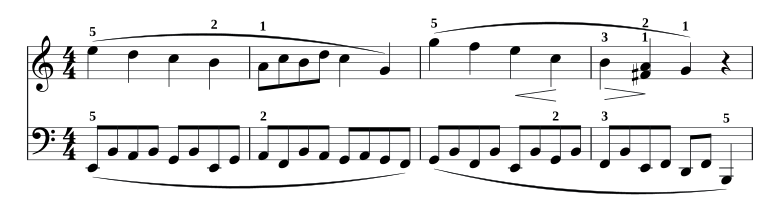
Copy and paste
Section titled “Copy and paste”- Select a block — drag across the measures and staves you want, or use a shift-run and let battuta take its measure span.
- ctrl + c copies it. A toast confirms the shape: copied 4 measure(s) × 2 staff/staves.
- Put the caret where the top-left corner should land — or select the target block.
- ctrl + v pastes.
The clipboard holds a real MEI fragment plus its context: the source’s meter, key and staff information, and its total duration. That’s what makes the paste checkable rather than hopeful — and it means the fragment survives being pasted into a different document, or into a text editor.
What paste does with the target
Section titled “What paste does with the target”The current policy is replace-measures: the target measures’ content is replaced wholesale, staff by staff, for the shape of the fragment. That is the right default for arranging, where you are deciding what those measures are.
Before anything is committed, battuta plans the paste and validates it:
- It refuses when the fragment doesn’t fit — running off the end of the score, landing on a staff that doesn’t exist there, or bringing a voice whose durations don’t sum to the target measure. The toast names the measure and staff.
- It warns when the paste is legal but different: a meter notated differently from the source, or a different key signature — in which case the written pitches are pasted as they are. You confirm or cancel.
Marks travel with the music
Section titled “Marks travel with the music”Control events anchored inside the copied block come along: fingerings, dynamics, hairpins, slurs. They are recreated with fresh anchors pointing at the pasted notes, on the right staff numbers. Events that reach outside the block — half of a hairpin — stay behind rather than arrive broken, and events attached to the region you replaced are cleaned up instead of being left dangling.
Paste also renumbers the measures it touches, so stale numbering inherited from an older file heals on the first paste.
Across files
Section titled “Across files”Open as many scores as you like in tabs; the clipboard is shared between them, so cross-file arranging is the same four steps. The compatibility check runs exactly as it does inside one document, which is where the meter and key warnings usually show up.
Transposing
Section titled “Transposing”| Keys | Effect |
|---|---|
| alt + ↑ / ↓ | Transpose by one diatonic step |
| alt + shift + ↑ / ↓ | Transpose by an octave |
Step moves work on whatever the selection covers — a run, or every event in a block — and carry the octave across the B/C boundary properly. Addressing a chord transposes all of its notes. Explicit accidentals are dropped by a step move (the key signature decides what the new note means) and restored by undo.
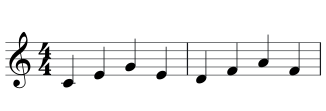
Serial forms
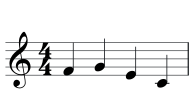
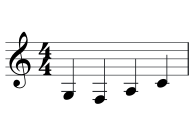
Section titled “Serial forms”With a block selected, shift + r cycles the selected material through its serial forms:
prime → inversion → retrograde → retrograde inversion → prime
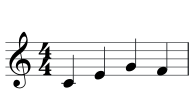
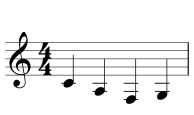
Two things make this safe to press repeatedly:
- The rhythm never moves. Only pitch content (note name, octave, accidental) travels; durations and rests stay exactly where they are. So the measures remain valid by construction, and returning to prime is byte-identical.
- Each voice reflects independently, and each press is one undo step. The cycle derives every form from the state captured at the first press, so any other edit re-bases it.
Retrograde needs the chord sizes in the passage to mirror each other — pitches move between events, never the structure — and is skipped with a notice when they don’t.