
A tour of the window
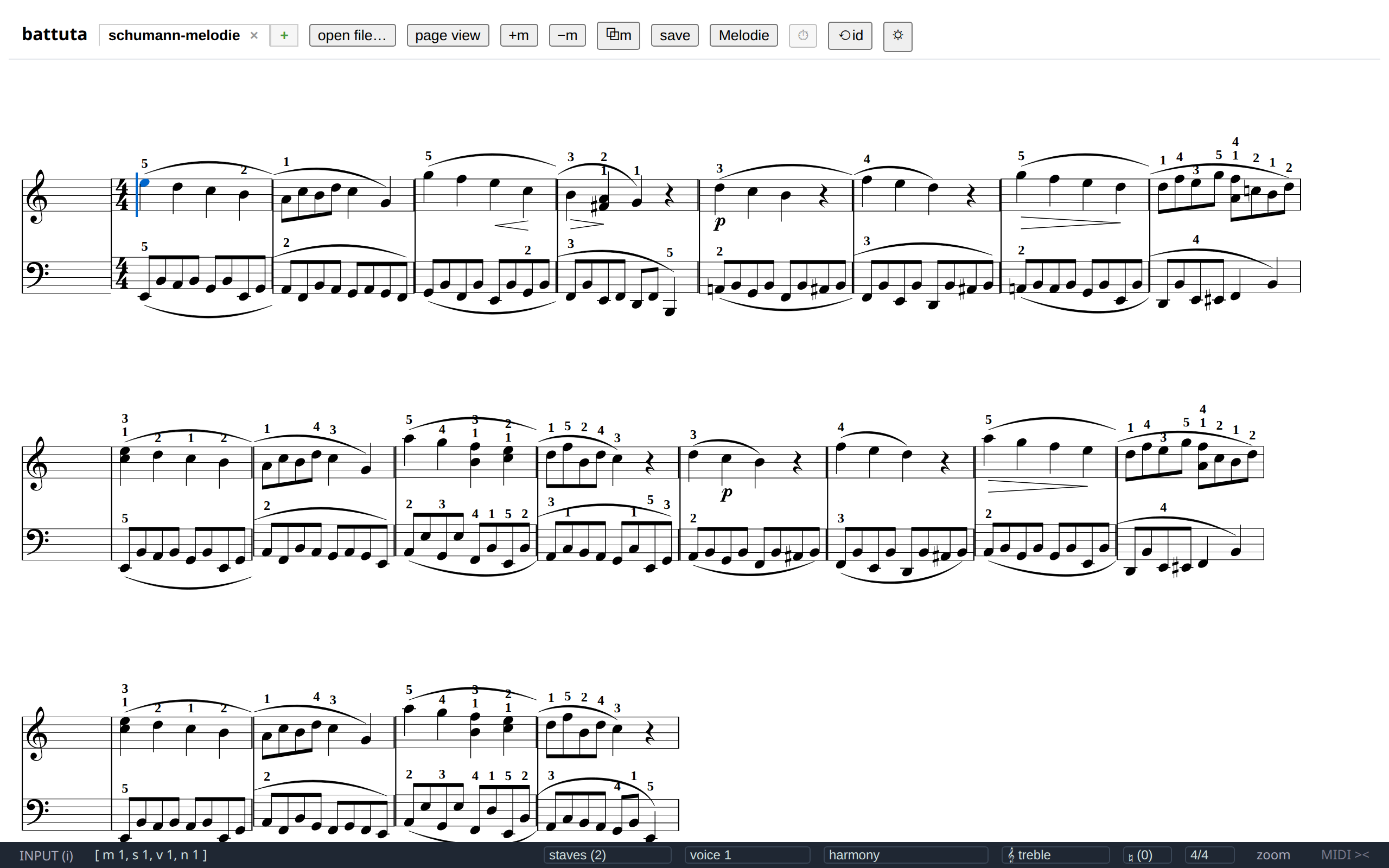
battuta has three bands: a header pinned at the top, the score in the middle, and a status bar fixed at the bottom. Editing controls are on screen; file chores and tools live in one menu under the app name.
The header
Section titled “The header”
The first row:
| Control | What it does |
|---|---|
| battuta ▾ | The app menu — see below. |
| tabs | One per open score. A trailing * means unsaved changes; × closes the tab (a starred tab asks first). Undoing back to the saved state clears the star. |
| + | A fresh blank score: one treble staff, 4/4, four empty measures, named untitled-1, -2, … |
| page view / edit view | Switches between the two renderings — see The two views. |
| 🎹 | The on-screen keyboard for tablets and touch devices. Shown automatically on touch screens. |
| 📁 | The folder view: the scores in a folder you opened, in a panel on the left (desktop app). |
| 🎙 | The pitch reference: a recording’s pitch traced over the score, in a panel at the bottom. |
| 📄 | The PDF reference: a score’s PDF, each measure’s scan above its tile, and the caret’s system in a panel at the bottom. |
The second row belongs to the score itself: the title and tempo
buttons are inline editors (each relabels itself to the current value — page
view prints both), and in page view the row grows the player: ▶ / ⏸,
⏹, a playback-speed select, a clickable progress bar and a
mm:ss / mm:ss readout. See Playback.
The battuta menu
Section titled “The battuta menu”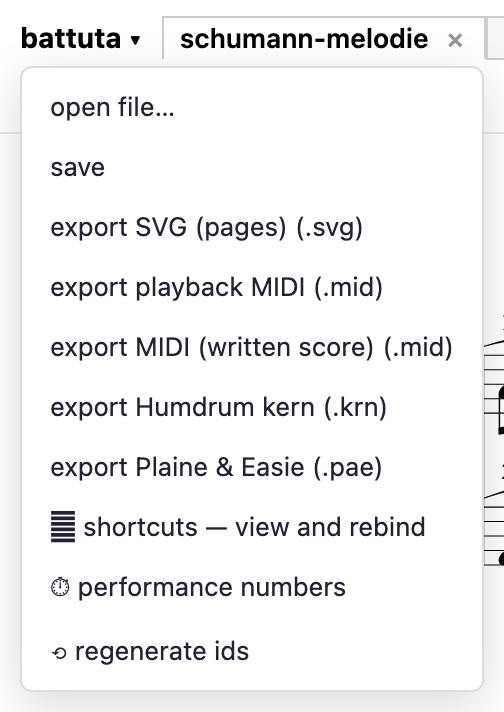
| Entry | What it does |
|---|---|
| open file… | The system open dialog, starting in the folder you last used. Any supported format converts on open. |
| save | Saves to the score’s own path, or opens save-as if it has none. |
| export … | Playback MIDI, written-score MIDI, SVG pages, Humdrum kern, Plaine & Easie — see Exporting. |
| shortcuts | The shortcut editor: every action, its keys, and the rebinding UI. |
| performance numbers | Shows or hides the render timings (per-tile milliseconds, pool stats). Off by default. |
| regenerate ids | Re-mints every xml:id in the document and rewrites all references to follow — the repair for files that accumulated duplicate ids. One undo step. |
The score area
Section titled “The score area”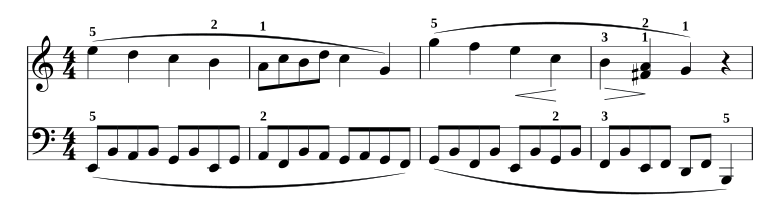
Clicking a note puts the caret on it. Dragging across measures or staves paints a block. Nothing you click ever changes the notation — the rendering is read-only, and all interaction happens on an overlay above it.
The view follows the caret: when navigation or note entry pushes the caret off screen, the score scrolls it back into the middle. Re-layout and zoom never yank the view.
The two views
Section titled “The two views”Edit view (the default) renders each measure as its own small engraving and flows those tiles into rows like words in a paragraph. That is what makes editing instant: a keystroke re-renders one tile, not the score. The cost is cosmetic — spacing is justified per measure rather than across the page, and slurs or ties that cross a tile edge are drawn as broken continuations, the same convention as a system break.
Page view renders the whole document through Verovio’s normal page layout: proper spacing, real spanning slurs, the printed title, measure numbers at system starts. Use it to proofread, and to play the score. On a screen narrower than 768 px — a phone — the page is as wide as the screen, at the same staff size, so a system holds a measure or two instead of an A4 page shrunk to a third; the SVG export still lays out A4 pages. The caret and selection survive the switch, because both are stored as positions in the document, never as pixels.
The status bar
Section titled “The status bar”
Left side:
INPUT (i)— click it to toggle note input. While input is on it turns green and reads the current duration, its note glyph, and the digit key that selects it:1/8 ♪ (4).- caret readout —
[ m 10, s 2, v 1, n 6 ]: measure, staff, voice, and index of the event under the caret, all counted from 1.
Right side, all showing the context in force at the caret and applying their change at the caret’s measure:
- staves — the staff count, plus add staff below and remove caret staff.
- voices — the caret’s voice, with switch / add / remove.
- harmony — opens a chord-symbol or Roman-numeral lane.
- clef — per staff. Stepping onto a tenor-clef staff flips the indicator.
- key and meter — score-wide from the caret’s measure onward.
- zoom — click for + / − / reset; 50 %–250 % in 25 % steps.
- MIDI —
MIDI ><grey when nothing is connected, greenMIDI <>with a device count when a controller is. Click it to list the devices.
When the window is too narrow for all of it on one line — a tablet held upright, a slim window — the bar keeps the input box, the caret readout, zoom and MIDI, and folds the context controls (staves, voices, the lanes, clef, key, meter, and anything a plugin adds) behind ⋯: tap it to open them above the bar. Widen the window and they come back in line. F6 opens the folded controls too.
Messages
Section titled “Messages”Errors, confirmations and refusals appear as toasts in the bottom-right
corner. They fade on their own; the × on the left closes one early, and the
text is selectable so an error message can be copied into a bug report.

A refusal is information, not a failure — battuta says no to edits that would produce a measure that doesn’t add up, and the toast names the reason. See Why an edit gets refused.